
Create a file in seconds
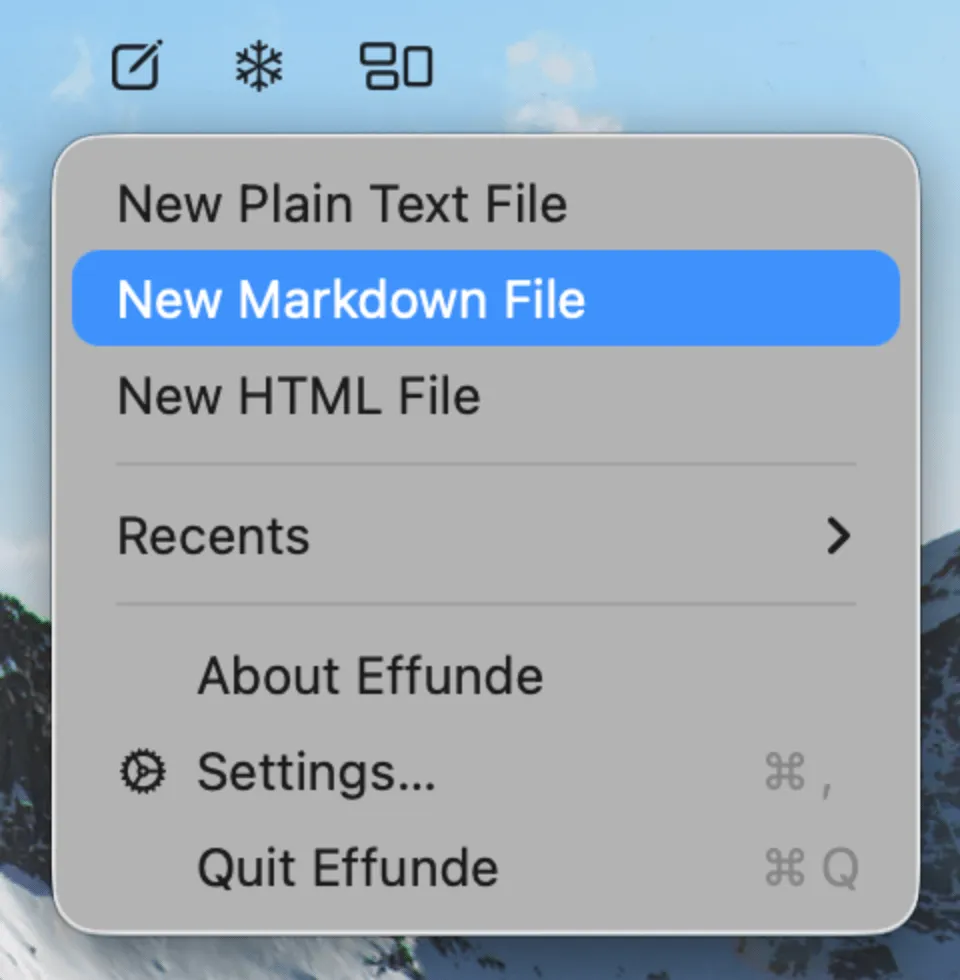
Click the menu bar icon, pick “New Markdown File” (or HTML, JSON, Shell — whatever you enabled), and a minimal editor appears instantly. No app to launch, no project to open.


New file. Paste. Save. Done.
Requires macOS 13.0 or later · $1.99 on the Mac App Store — one-time, no subscription
You just need to stash a snippet — a bit of HTML, a JSON blob, a shell script, a quick note. But creating a file means launching a heavy editor, digging through File → New, picking a location and naming it. That is a lot of ceremony for something tiny.
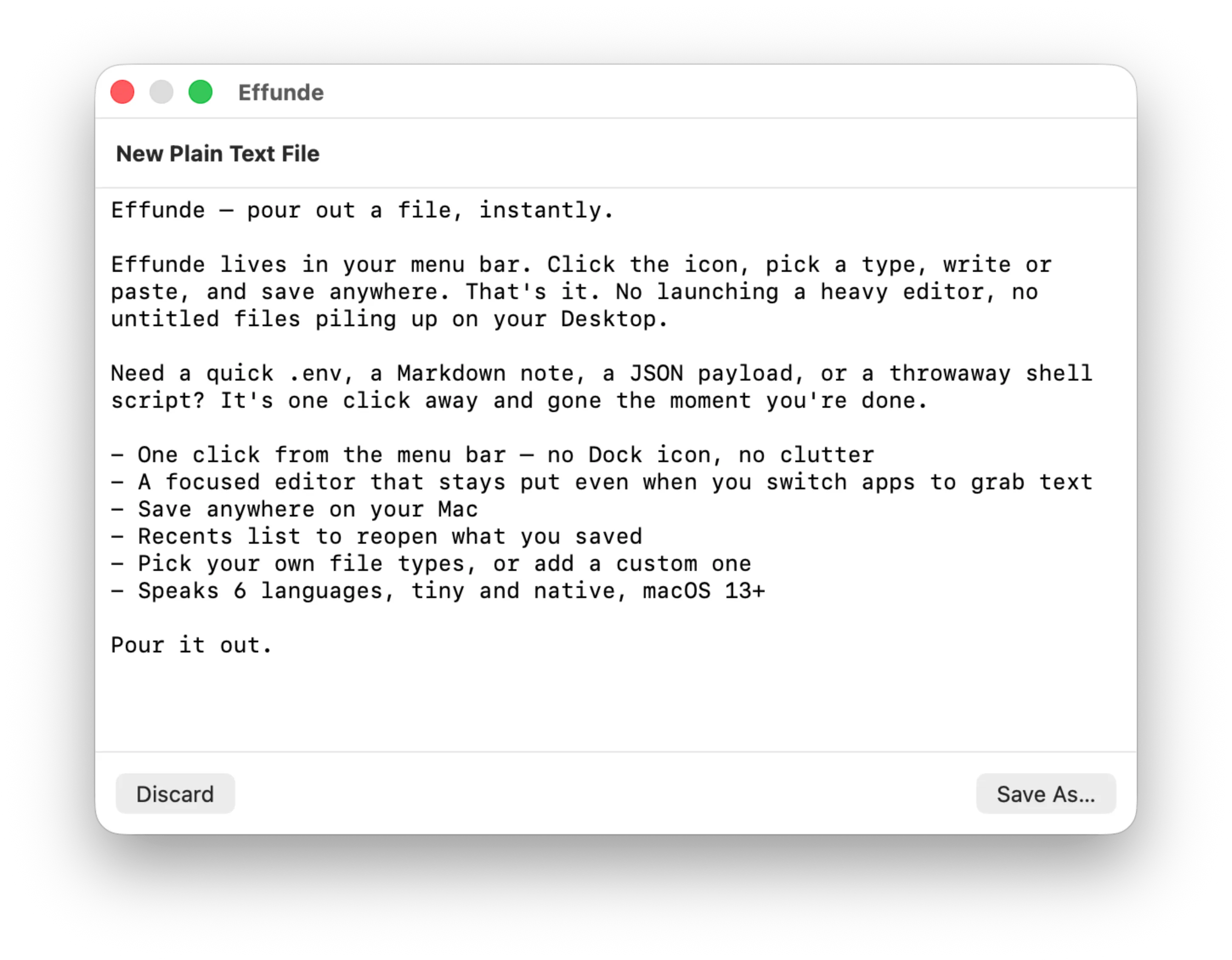
Effunde lives in your menu bar. Click the kind of file you want, paste or type into a compact editor that drops down right under the menu bar — with pasted code formatted on arrival — and save it anywhere. The whole point is speed: click a type, paste, save, done.
Effunde lives in your menu bar. Pick a file type, drop your clipboard into a compact editor, and save it anywhere — the whole trip from copy to file on disk in a few seconds.
Click a type
Paste and save
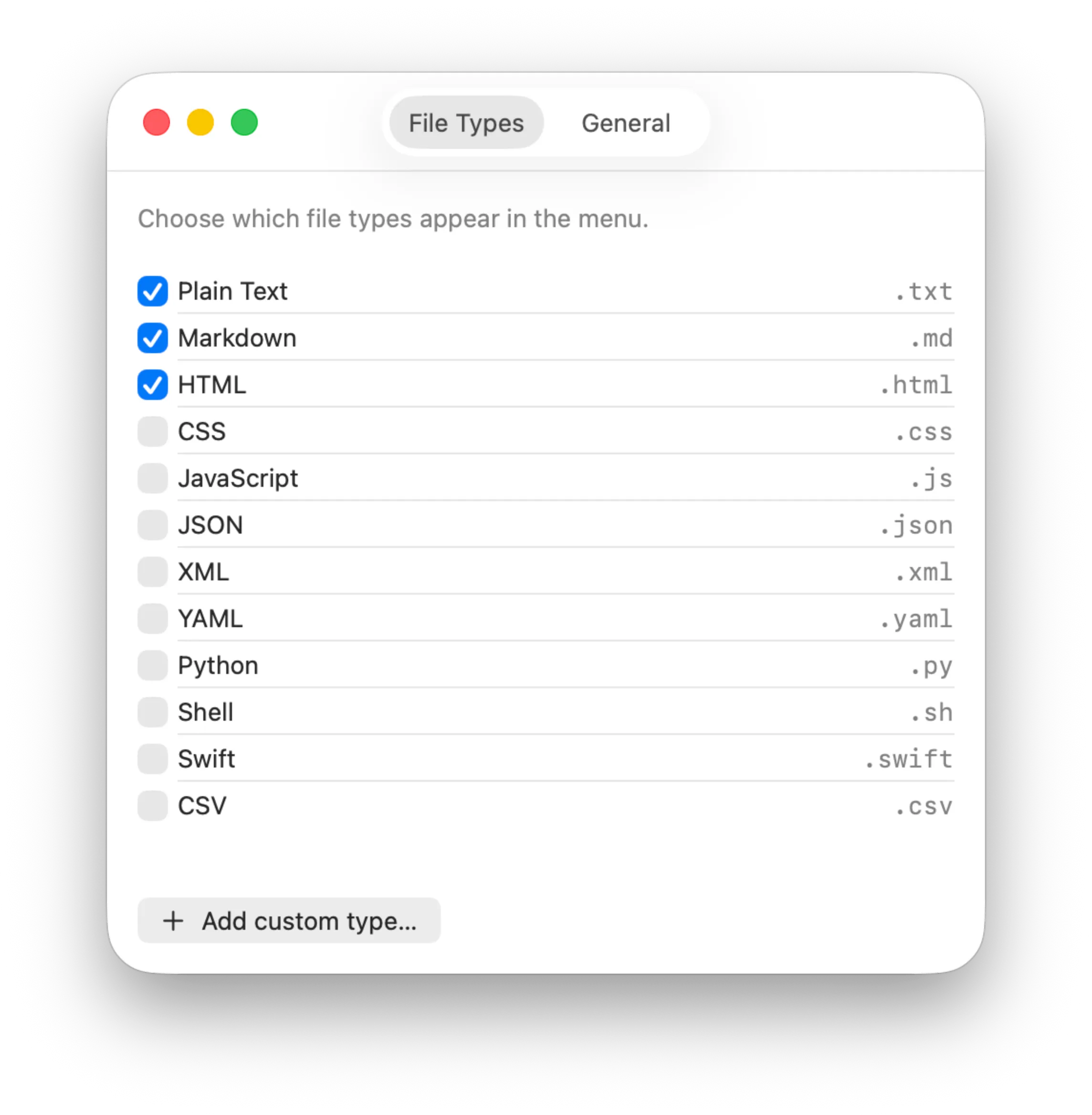
Your types, your menu
Click the menu bar icon, pick “New Markdown File” (or HTML, JSON, Shell — whatever you enabled), and a minimal editor appears instantly. No app to launch, no project to open.
Optionally auto-paste your clipboard into every new file the moment it opens. Copy something, click a type, save — the fastest path from clipboard to a file on disk.
Paste a minified JSON blob or a snippet scraped off a webpage and Prettier cleans it up on arrival — HTML, CSS, JavaScript, JSON, YAML and Markdown, indented and readable before you even hit Save. On by default; “Format Pasted Text” turns it off.
The editor stays pinned under the menu bar when you switch away, so an in-progress draft survives a trip to another app for more text. And every file you save drops into a Recents list — one click reopens it in whatever app macOS uses for that type.
Choose from a catalog — Plain Text, Markdown, HTML, CSS, JavaScript, JSON, XML, YAML, Python, Shell, Swift, CSV — add your own custom types, and reorder the menu to match how you work.
A menu-bar-only app built in Swift for macOS 13+. No Dock icon, no clutter, launch-at-login support, and it saves plain files exactly where you tell it.
Effunde requires macOS 13 (Ventura) or later.
Wherever you choose. Effunde uses the standard macOS Save dialog, so you are never locked into a particular folder — every file is a normal file on disk.
If you want it to. “Paste clipboard into new files automatically” is a setting that is on by default, matching Effunde’s click-paste-save workflow. You can turn it off to always start empty.
Yes. Effunde runs Prettier on paste for HTML, CSS, JavaScript, JSON, YAML and Markdown, so a minified blob or a badly indented snippet lands clean. Other types — Python, Shell, Swift, CSV and Plain Text — paste through untouched. “Format Pasted Text” is on by default and can be switched off in Settings.
A built-in catalog covering Plain Text, Markdown, HTML, CSS, JavaScript, JSON, XML, YAML, Python, Shell, Swift and CSV — plus any custom type you define by name and extension.
No. The editor is a pinned panel that stays open when Effunde loses focus, so you can copy text from elsewhere and come back to your draft intact.
Yes. Effunde runs entirely on your Mac with no account and no tracking. It only touches the files you explicitly save.
No. Effunde creates plain files on disk in the locations you pick. If you save into an iCloud or Dropbox folder, your own sync handles the rest.
$1.99 on the Mac App Store — a one-time purchase. No subscription, no in-app purchases, and every future update is included.
Languages
Effunde is fully localized — it speaks your language from first launch, no setup:
Support
One person builds these apps and reads every email. Hit a bug, want a feature, or want Effunde in a language that's not here yet? Tell me.
Or just email support@anthem-technology.com.